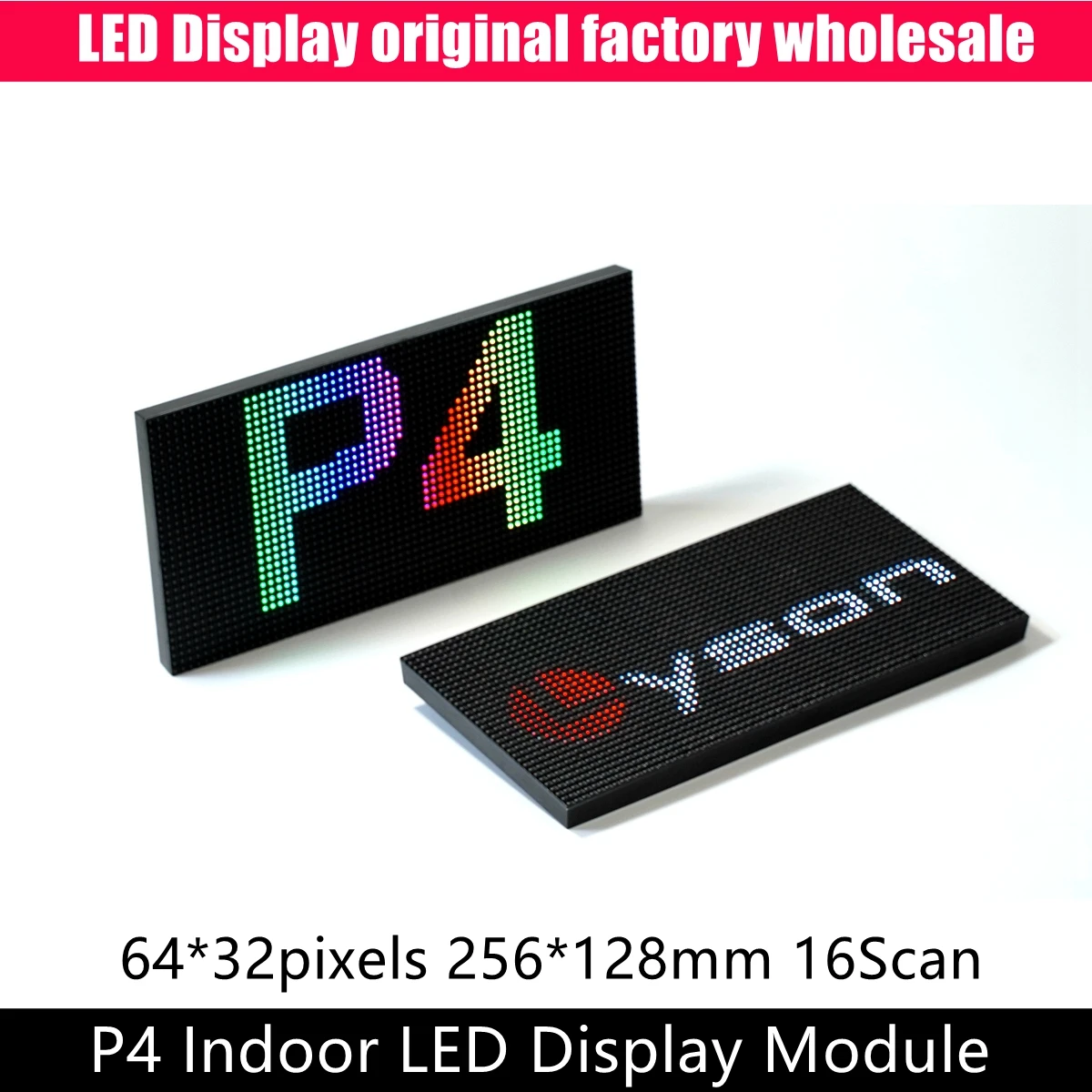
P4 Indoor SMD 3IN1 RGB LED Matrix Module 64x32 Pixels Video Display Full Color Panel 1/16 Scan 256mmx128mm Review
Have you ever looked at a professional digital sign at a shop or a cool light display at a concert and thought, "I wish I could build that myself"? Maybe you’ve tried small LED strips, but they just didn’t give you that crisp, high-resolution look you wanted for a custom project. Whether you are a hobbyist building a DIY scoreboard, a streamer wanting a unique background, or someone looking to make a custom message board for your desk, you’ve likely hit a wall: professional-grade panels are usually way too expensive.
That is where the P4 Indoor SMD 3IN1 RGB LED Matrix Module 64x32 Pixels Video Display Full Color Panel 1/16 Scan 256mmx128mm review comes into play. It’s a piece of hardware that bridges the gap between "cheap toy" and "pro-level gear." Let’s break down what this panel actually does, where it falls short, and if it’s the right fit for your next project.
What Is the P4 Indoor SMD 3IN1 LED Matrix Module?
At its core, this module is a 256mm x 128mm rectangle packed with 2,048 individual RGB LEDs. Because it is a "P4" panel, that refers to the pixel pitch—the distance between the center of one LED to the next is 4 millimeters. In the world of LED panels, lower numbers mean higher resolution.
The main appeal here is the balance of size, brightness, and cost. It is a budget-friendly entry point into the world of LED matrix displays. Because these panels are modular, you don’t have to settle for just one. You can snap several together to create a larger video wall. Plus, if you shop around on the right platforms, you can often find them with free shipping, which makes a huge difference if you are planning to buy four or six of them to build a decent-sized screen.
Key Features and Real-World Benefits
When you get this panel out of the box, you’ll notice it’s not a "plug-and-play" device like a smart bulb. It’s a component. Here is how its features translate to actual use:
The 4mm Pixel Pitch (P4) Because the LEDs are spaced 4mm apart, you get a decent level of detail even from a few feet away. If you use this for a text-based clock or a small scrolling message board, it looks sharp. You won't see giant gaps between pixels unless you are staring at it from six inches away.
SMD 3-in-1 Technology This is fancy talk for "better color blending." Each pixel contains a red, green, and blue chip inside one tiny housing. This means when the panel displays white or secondary colors, the light blends perfectly. You don’t get that weird "rainbow effect" that happens with cheaper, older LED designs.
1/16 Scan Rate This is a technical spec that matters for your controller. A 1/16 scan means the panel is efficient, but it requires a specific type of driver board (like an ESP32 or a dedicated LED controller) to handle the data refresh. It’s a standard configuration, which is great because there is a lot of open-source software (like the SmartMatrix or rpi-rgb-led-matrix libraries) that works perfectly with it.
Pros and Cons: The Honest Truth
No piece of tech is perfect. Here is a realistic look at what you’re getting.
The Pros: Excellent Value: You get a lot of screen real estate for the price. Modular Design: You can start with one and add more later to grow your display. Bright and Vibrant: The colors are punchy and look great even in a well-lit room. Wide Compatibility: Works with common hobbyist hardware like Raspberry Pi and Arduino.
The Cons: High Learning Curve: If you have never coded or wired electronics, this can be intimidating. There is no simple "app" to control this out of the box. Power Hungry: These panels pull a lot of juice. You will need a stable 5V power supply with enough amperage, or your display will flicker or dim when showing bright white images. Fragile Connectors: The ribbon cables and data pins on the back can be flimsy. If you aren't careful when plugging them in, you can bend the pins.
Who Is This For? (And Who Should Skip It?)
This product is perfect for the "Maker" crowd. If you enjoy tinkering with breadboards, soldering, or learning how to write a bit of code to make things happen, you will love this. It’s perfect for: Building a custom game room sign. Creating a real-time data visualizer (like a stock ticker or crypto tracker). Making a high-quality display for a cosplay prop or a custom PC case mod.
Who should skip it? If you want something that works the second you plug it into a wall outlet, this isn't it. If you aren't interested in learning how to use a controller board or deal with power distribution, look for a pre-built digital sign instead. This panel requires a "DIY spirit."
User Experiences
To give you a better idea of what to expect, here are two common experiences from people who have used these panels:
- The Hobbyist: "I bought four of these to make a 2x2 matrix for my home office. It took me a weekend to figure out the wiring and the library settings, but once it was running, it looked amazing. I use it to show my Spotify track info. Just make sure you buy a decent 5V power supply—I fried my first one because I tried to run it off a cheap USB phone charger."
- The Gamer: "I used one of these for a custom frame for my desk. It’s bright enough that I have to turn the brightness down in the settings. The setup was a bit of a headache with the Raspberry Pi, but there are plenty of YouTube tutorials if you search for the specific model number."
Final Verdict: Is It Worth Your Money?
If you are looking for a project and want to build something that looks professional without spending hundreds of dollars on a pre-made commercial sign, then yes—the P4 Indoor SMD 3IN1 RGB LED Matrix Module 64x32 Pixels Video Display Full Color Panel 1/16 Scan 256mmx128mm is a fantastic choice.
It hits that sweet spot of high-quality visuals and affordability. Because you can often find them with free shipping, it is easy to experiment without breaking the bank. Just remember: you aren't just buying a screen; you are buying a component for a project. Bring your patience, a good power supply, and a willingness to learn, and you’ll end up with a display that looks like it cost ten times what you actually paid.